Notice: Genius ATS > Bug Fixes & Developments Notice
From: Genius Group Ltd, Client Services Team
Today’s Date: 02nd Aug 2022
Release Date: 3rd Aug 2022
Overview:
The following universal minor changes/fixes to the GeniusATS Applicant Tracking System Software have or are to be deployed as per our development roadmap / schedule.
GATS-363 Returned Documents Notice (from Candidate)
When a document is returned via the control panel by the candidate via the onboarding function, a notice appears on the Dashboard to the Vacancy Owner:
- There is a tally to display the number of items in the list
- The documents shall remain in the list for 4 weeks only
- The document is still available in the candidate application area under [Documents]

GATS-10 Vacancy Advertisement Information (For clarity on advertised and non advertised ‘Active’ vacancies)
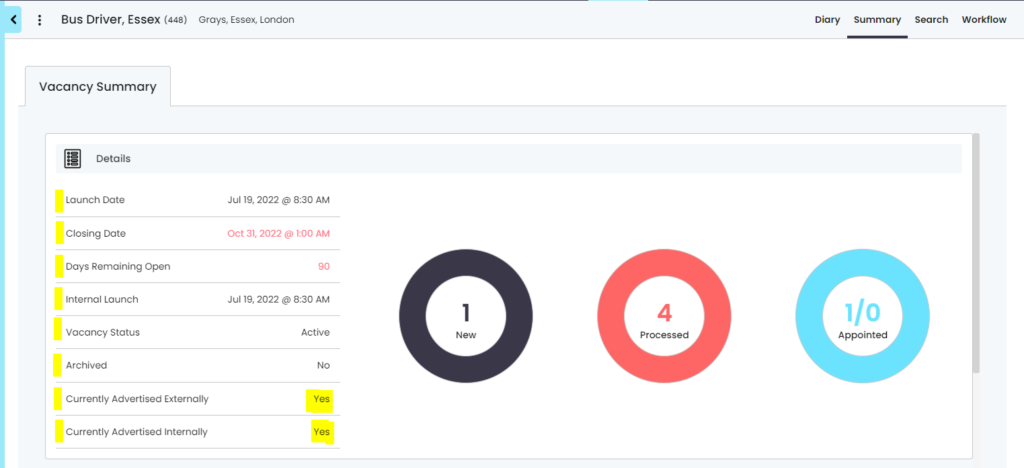
- A vacancy can be advertised (Internally or externally) and be classed as ‘Active’ so applicants can apply.
- A vacancy can be not advertised (Internally or externally) and be classed as ‘Active’ as the recruiter is still working on the vacancy, but no candidates can apply.
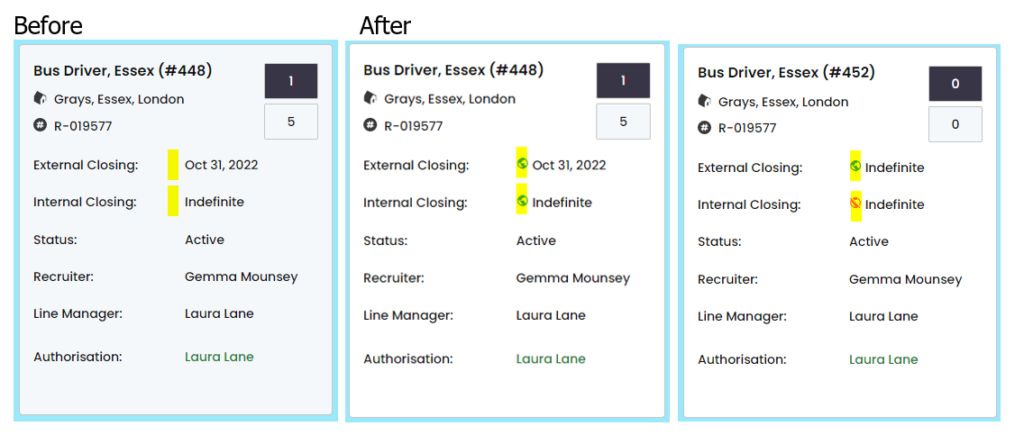
The vacancy listing on the control panel has been updated to show the following new icons appear against the closing dates to show if the vacancy is advertised to external/internal applicants:
- Green Globe = Advertised
- Red Globe with cross through = Not Advertised

GATS-276 Criminal Convictions Report
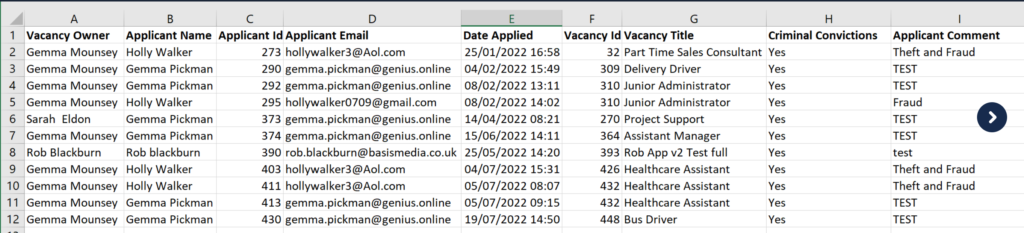
As all clients have different reporting requirements we would like to highlight that some clients are not pulling through all of the available information from candidates about unspent criminal convictions despite this being asked as part of your vacancy template.
Please check you report and contact ‘client.support@genius.online’ if you would like to review your current report information.
EXAMPLE:
GATS-353 Sectors / Departments
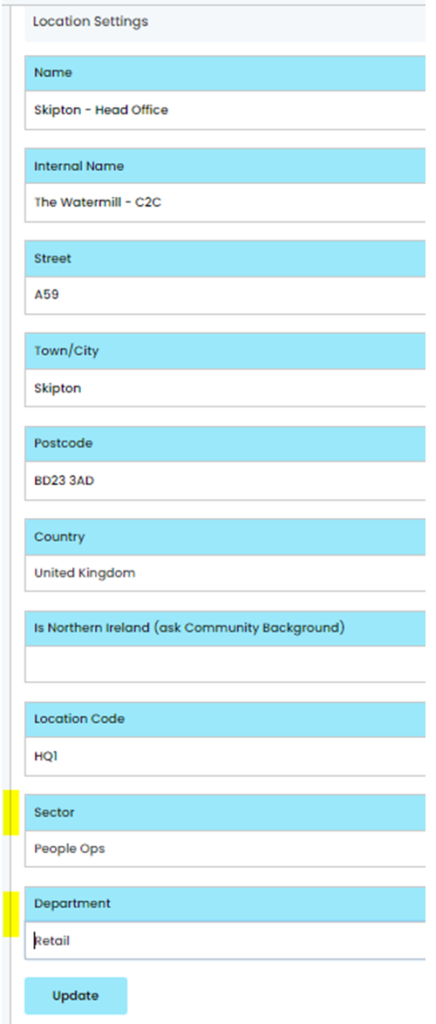
We are planning to release a bug fix relating to the ‘sectors’ and ‘departments’ in the system where a [Sector] and/or [Department] has been assigned to a [Location]. The issue is that the database is switching the [Sector] and [Department] in the location area.
This change could affect your user permissions, depending on how you have configured your control panel.
- If you do not have any Sectors / Departments associated to your locations there is no action for you to take.
- If you do have any Sectors / Departments associated to your locations please find attached a CSV for you to check that your users have the correct permissions.
EXAMPLE: Location with Sector & Department Associated below
If you can see any issues with these permissions, you can update the [User] permissions in the control panel
GATS-408 Email attachment missing (Bug Fix)
Fix deployed as email attachment failed to send