Notice: Genius ATS > Bug Fixes & Developments Notice
From: Genius Group Ltd, Client Services Team
Today’s Date: 6th June 2023
Release Date: 21st June 2023
Overview:
The following universal changes/fixes to the GeniusATS Applicant Tracking System Software have or are to be deployed as per our development roadmap / schedule.
GATS-447 Recruitment Events
System Users are now able to create an ‘Event’ in a similar manner to a vacancy. When creating an ‘Event’, use the existing vacancy template and tick the [Is Event] box. This allows the system to recognise that this is not a vacancy and allows you to tailor some of the sections within the [Job Description] area to create your ‘event’.
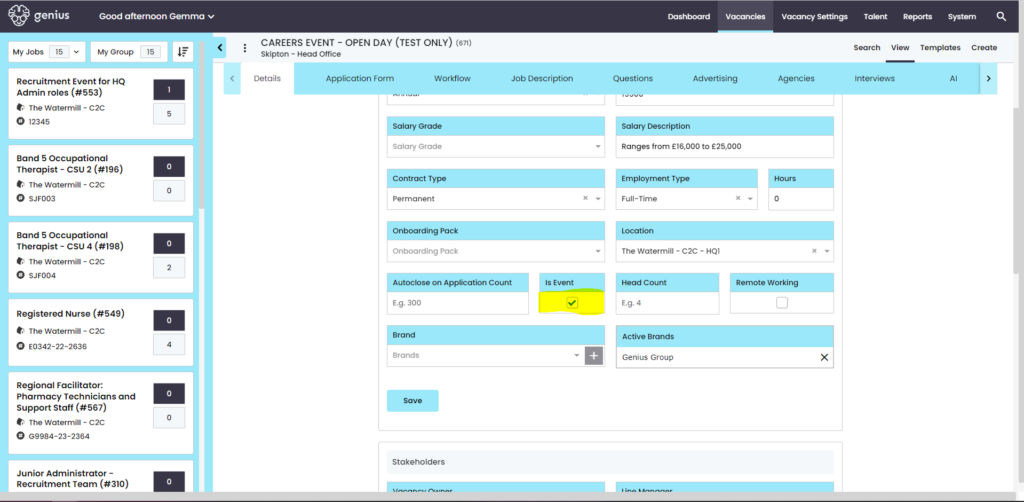
For the Event Description use the [Details] tab.
The mandatory fields are:
- Job Title: This should be the title of your ‘event’
- Internal Title: This should be the title of your ‘event’
- Business Area – You may need to add a new business area into the system to pull through into this area.
- Salary Type*: e.g. Annual / Hourly / Various
- Salary Description: Ranges from £16,000 to £25,000
- Employment Type*: FT / PT / Various
- Location – – Where are you holding the event? You may need to add a new location into the system to pull through into this area.
- Is Event – tick this box
TIP: *Mandatory items can be customised per customer. To update your dropdown options, Please contact: clientsupport@thegeniusgroup.co.uk
Workflow
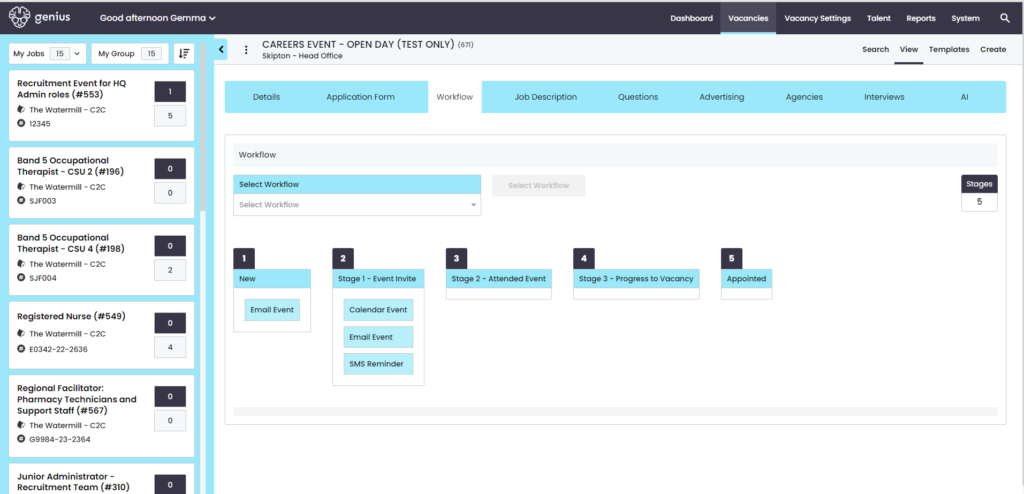
Users will need to create a new workflow for the Event, example below:
Tip: at each stage you can add a declined status – e.g. Did not show, Withdrawn..
Job Description
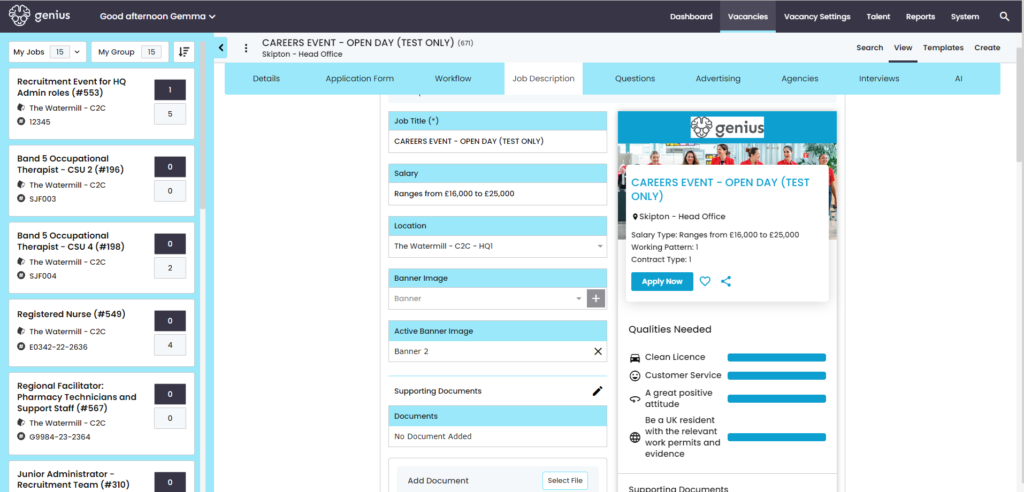
Here is where you can describe the event, add a video or document(s).
Tip: If you want to add a specific ‘events’ image for the banner of the advert you will need to provide an image to clientsupport@thegeniusgroup.co.uk and we will add this into the dropdown for you.
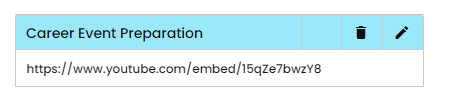
Videos: Here is an example of the URL to embed a video into the Event
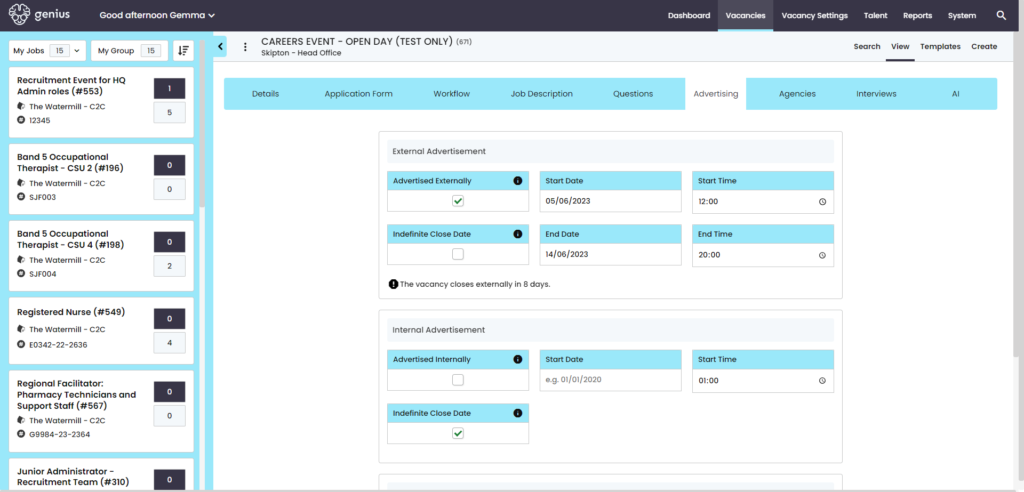
Advertising the Event
Add the advertisement dates start/end for people to register to the event
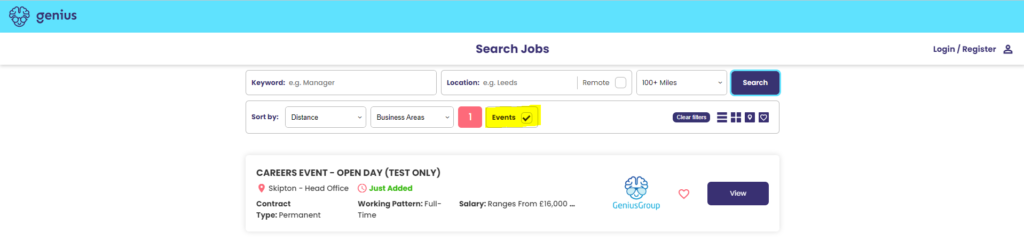
Events – Front End View
On the Search & Apply page, you can search for [Events] using the filter:
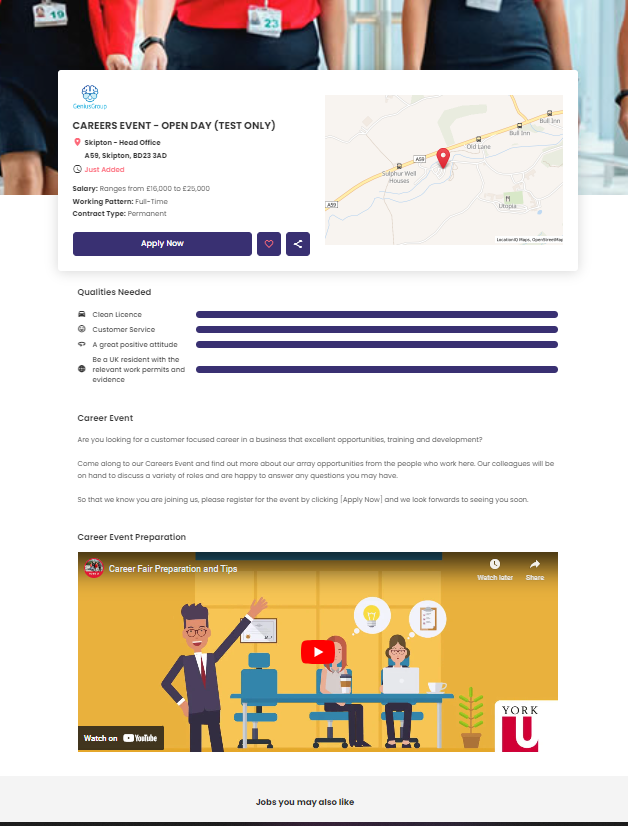
Example of the Event Advert:
GATS-506 Chat GPT Integration
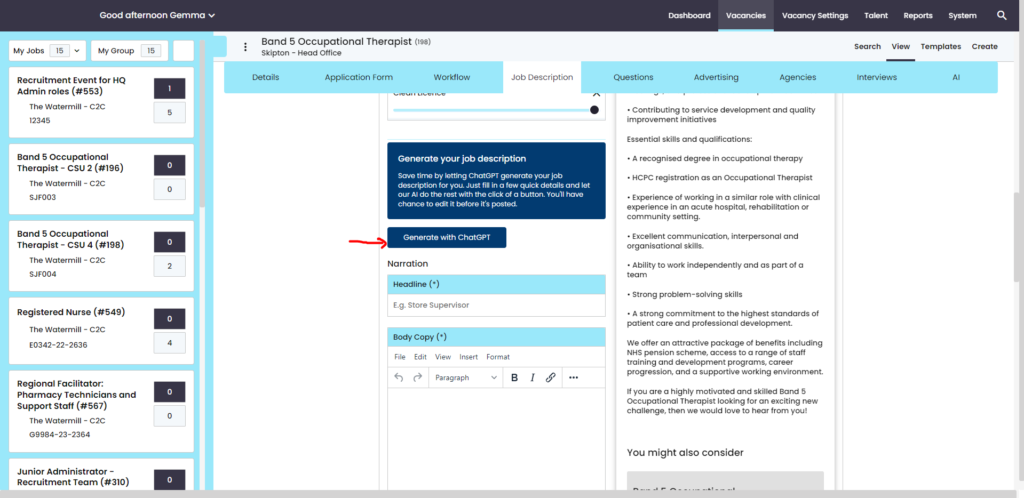
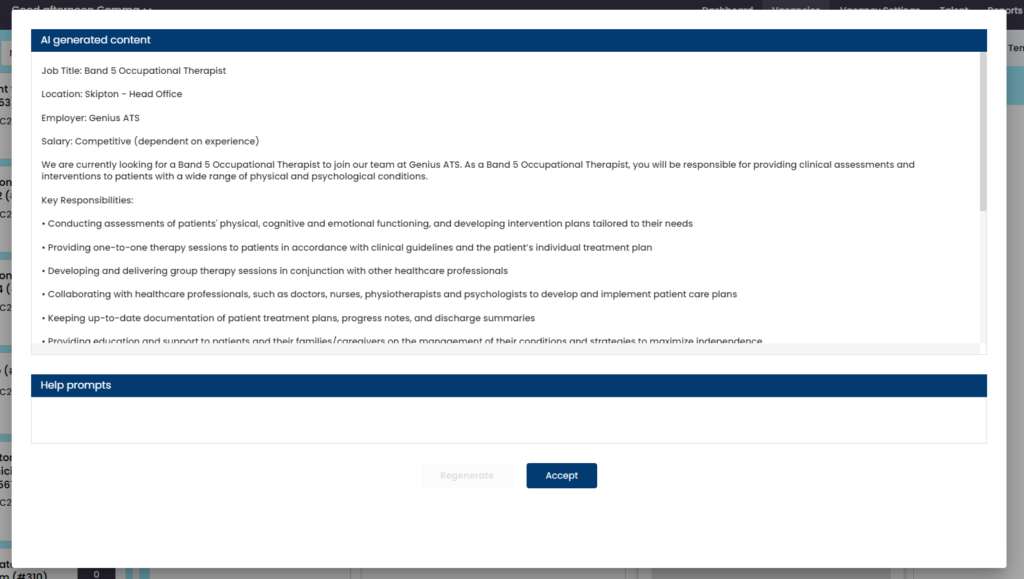
Genius ATS is now integrated with ChatGPT in the vacancy advert section. ChatGPT picks up the vacancy title and provides content for the role’s job description.
Users can edit the copy once the system has created it and this can be used in the vacancy template.
Click on [generate with Chat GPT]. The integration will search the web for suitable content, you can then review & [accept] or [regenerate]