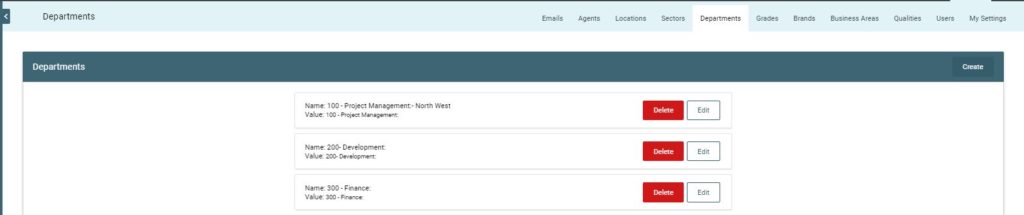
The Departments section allows users to segment vacancy information into various categories for internal use. These can be departments, cost codes, or reporting divisions – the choice is yours!
This information is used in the [Vacancy Template] when creating vacancies as well as in the User Permissions area which allows you to manage your User Groups and what they can/cannot view in the system.
Note: This information is generally added at set up, but clients will then manage this section of the system.
In this section you will see:
Add/create Department – use to add a new department into the list
List of existing Departments – view or edit the existing departments
* Search
* Edit
* Delete
* The Department is simply a [Name] and [Value]
If you have a cost-code associated with a department, this can be added here in the [Value] area and is pulled through to Reports
Edit Department
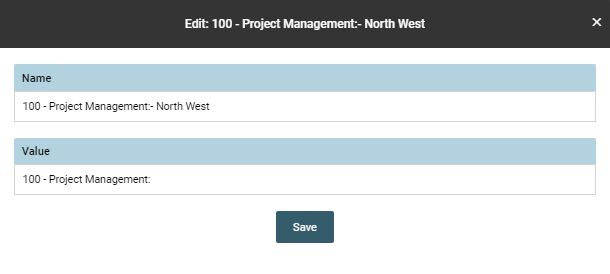
To edit a Department, click on the [Edit] button.
The information in the area will change to allow the user to update the [Name] or [Value]
- Click [Save] to save the update
- Click [X] to disregard the change
- Click [Delete] to delete/archive the department
Field Limitations
- Name limited to 100 characters
- Value limited to 100 characters
- Value no longer required field