Notice: Genius IQ > Bug Fixes & Developments Notice
From: Genius, Client Services Team
Today’s Date: 22nd August 2024
Release Date: 2nd September 2024
Overview:
The following universal changes/fixes to the Genius IQ Applicant Tracking System Software have or are to be deployed as per our development roadmap / schedule.
GATS-755 Redefine Swap User Functionality
The purpose for the change is to help users when vacancies are stuck at authorisation status, when another user is on annual leave. When you swap user to another (as long as you have the permission. You will only be able to see the selected user vacancies to help separate out what they are managing and what might need to be updated.
This just relates to the vacancies NOT their permissions
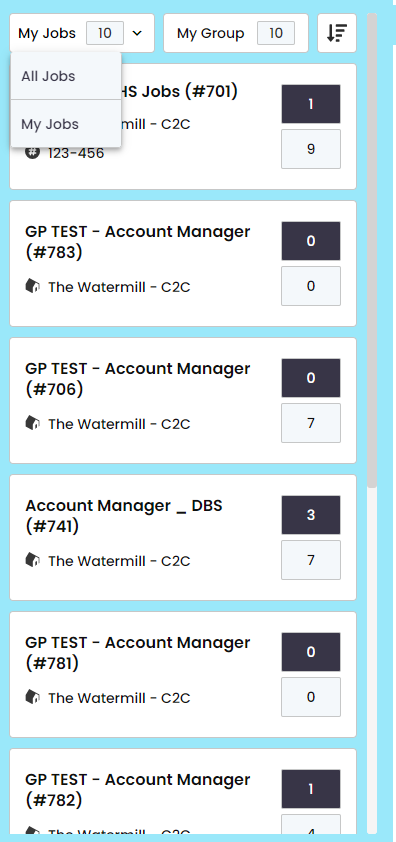
GATS-678 Comparative Scoring
This new functionality is to help with your recruitment process especially hiring manager. Comparative scoring is to give a guide on the companies expectations when hiring a candidate e.g. interview scoring, CV scoring, or workshop scoring dependant on what is required by your company.
The purpose is to supply guidance with a mark of 5 for each required stage/question and will be applied to a vacancy/vacancy template. It is down to you as a user to create your scoring templates in the Vacancy Settings. You will then create your template
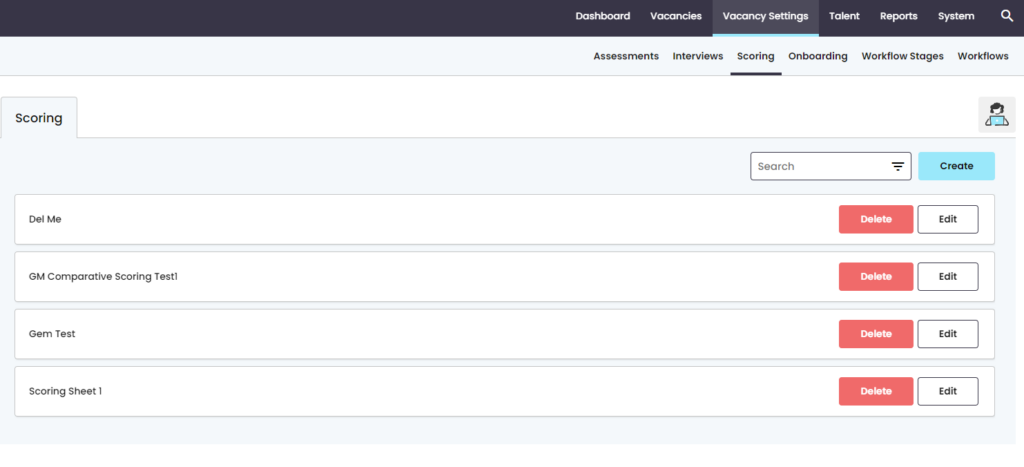
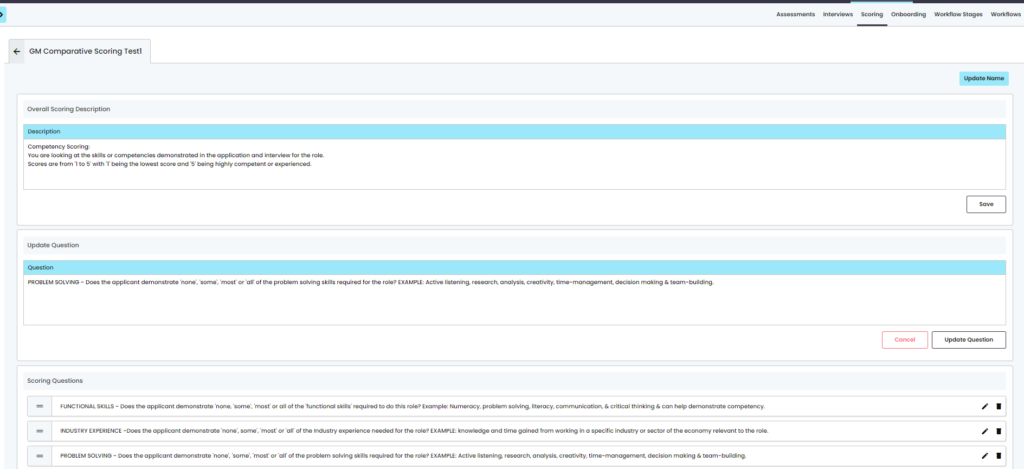
Once created you will then need to edit the sheet with the relevant scoring you want to achieve for this type of role. It is up t you to highlight how the recruiter is meant to score. Once create you will have the ability to edit what you are scoring to ensure they are kept up to date.
NOTE: if already in a live vacancy and you change after launch, you will have to manually update the question in the launched vacancy.
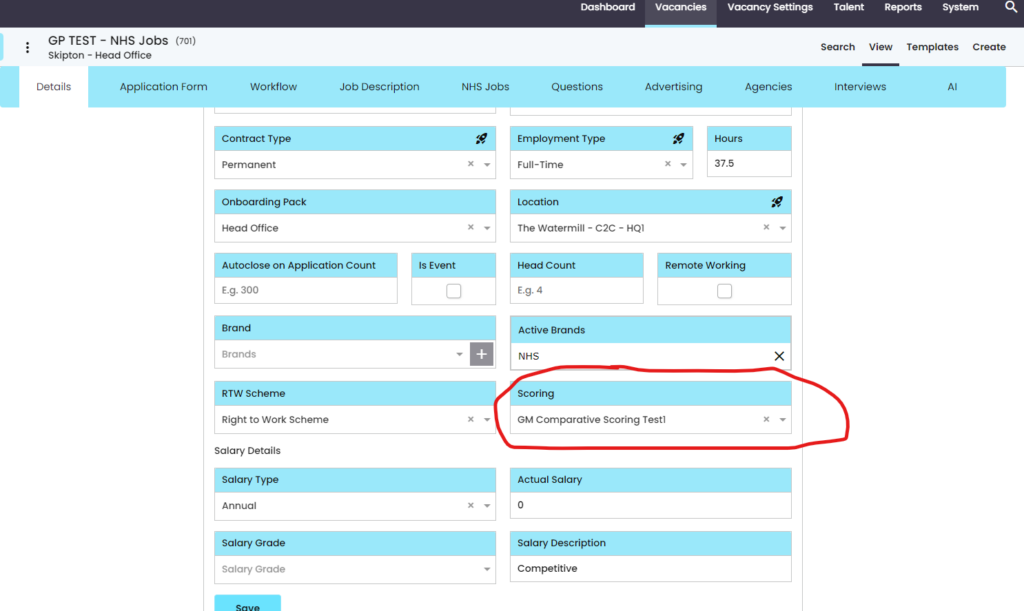
To apply it to the vacancy you will need to select the scoring template in the vacancy details to apply it to the candidate
To score the candidate, you will need to be managing the vacancy, select you candidate where you will be taken to the candidate profile where there is a scoring tab. This is where you will score your candidate. Once completed you will have an overall score for the candidate
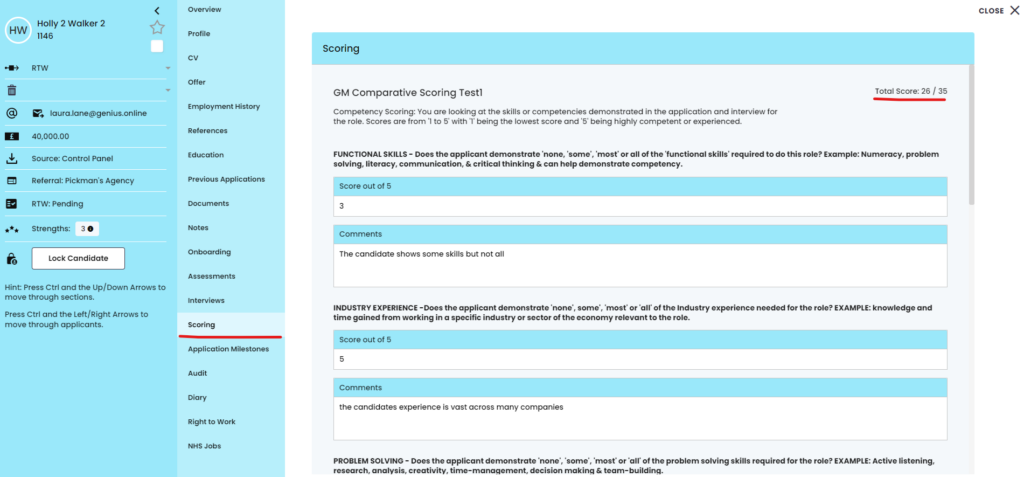
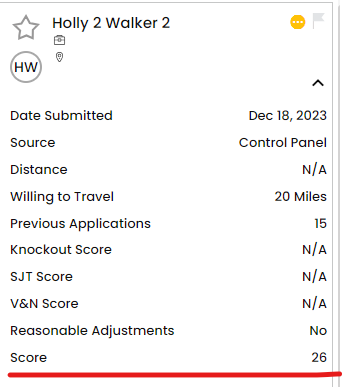
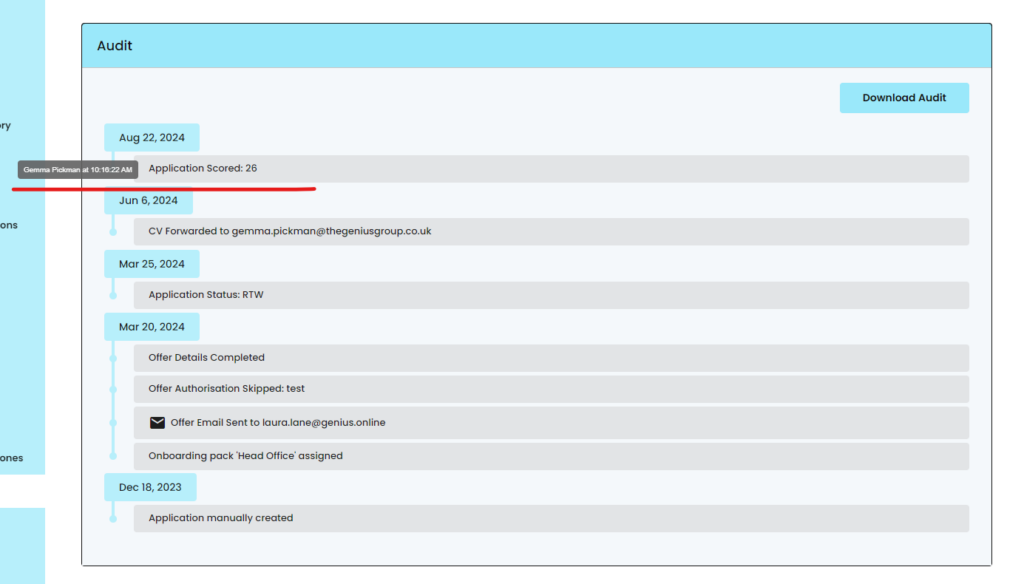
With the candidates scores you will be able to see this is in the drop down tab and the audit of the candidate
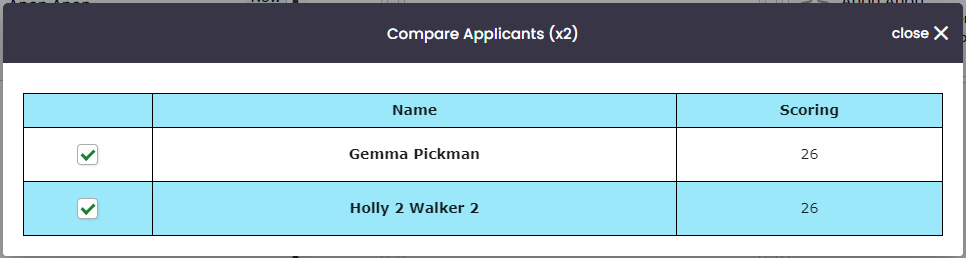
The system also gives you the ability to compare your candidates so once scored you will have an overview of multiple candidates. Select the candidates you want to compare, click actions and click compare applications. A window will pop up with the candidates and provide an overview of the candidates performance. This will also include SJT’s and verbal and numerical if asked in the application.
If you have any queries regarding a release, please contact:
E: clientsupport@geniusagency.co.uk
T: 01756 701222