Notice: Genius ATS > Bug Fixes & Developments Notice
From: Genius Group Ltd, Client Services Team
Today’s Date: 21st March 2022
Release Date: 22nd March 2022
Overview:
Good Afternoon,
The following universal changes/fixes to the GeniusATS Applicant Tracking System Software have or are to be deployed as per our development roadmap / schedule.
These may or may not affect your use of the system, therefore please review these items and if you have any questions please contact us at clientsupport@genius.online with the details and out Support Team will be on hand to assist you.
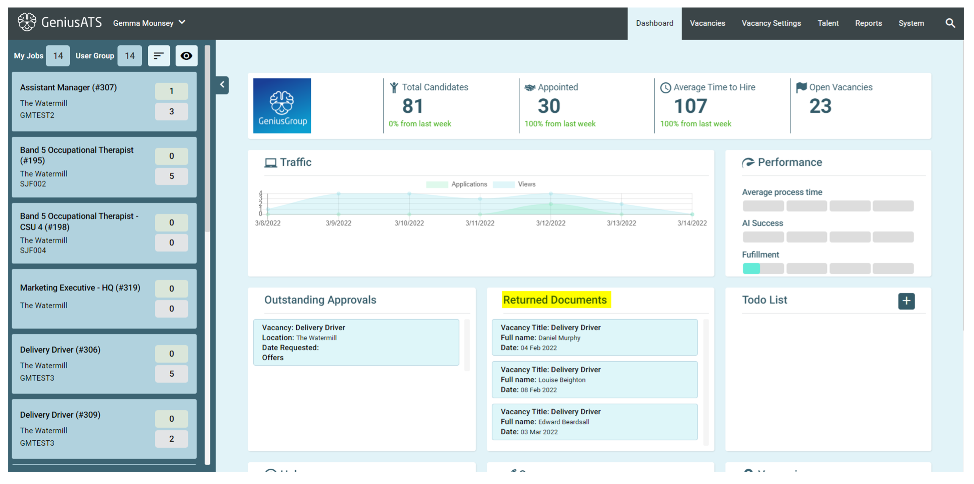
GATS-216 Returned Documents
When a candidate uploads a document as part of the onboarding function, there is now a notice on the Dashboard to let the vacancy stakeholders know:
Functionality:
- Returned documents are highlighted in the Control Panel
- Users can click on the notice and the applicants documents
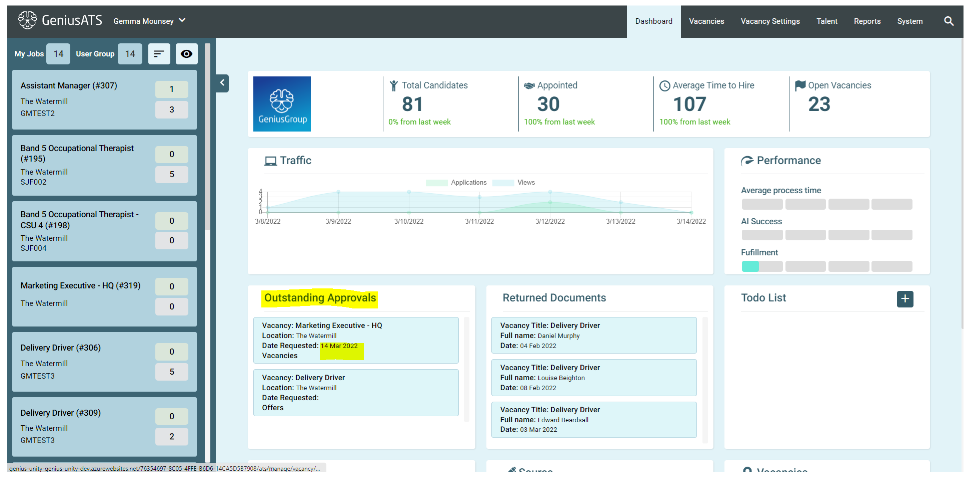
GATS-216 Outstanding Approvals (Vacancy & Offer requests)
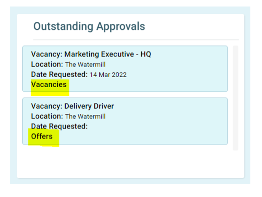
The [Date requested] has been added to the outstanding vacancy and offer approvals notification
Note: this is how you can see if this is a vacancy Authorisation request or Offer Authorisation request
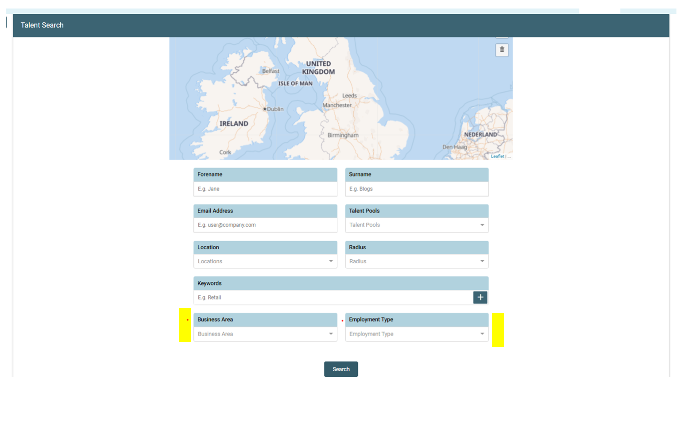
GATS-15 – Talent Search / Registered Talent
Additional fields have been added into the Talent Search area, these are related to the candidates preferences which are added into their profile so control panel users can find registered talent based on their preferences:
- Business Area
- Employment Type
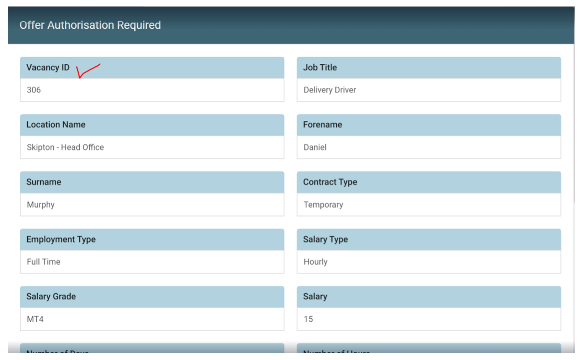
GATS-216 Vacancy Offer Authorisation > Addition of vacancy ID number
The vacancy ID number has been added into the approval form
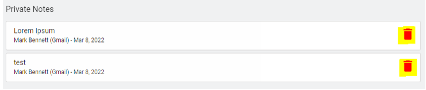
GATS-179 Candidate Notes > Ability to delete note
We have added in the ability to delete a note against a candidate application
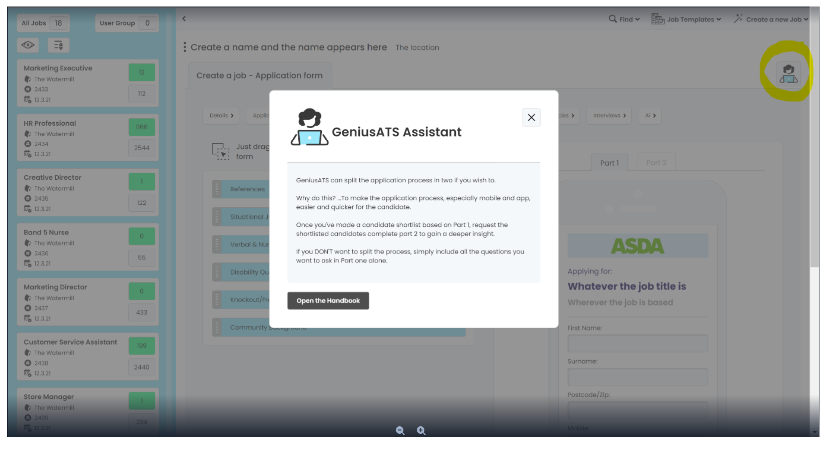
GATS-226 Help / info
We have added a help button to each major page of the ATS to describe the page functionality in a brief description
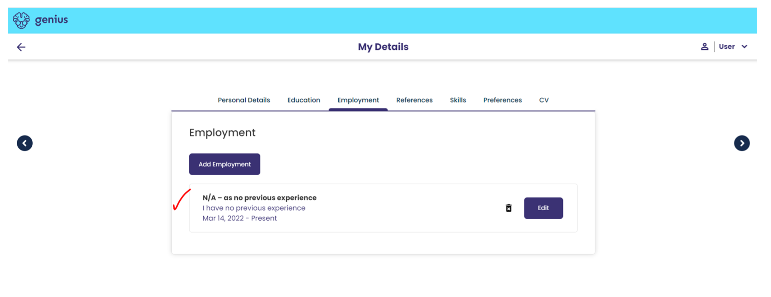
GATS-225 Work Experience
“I have no previous experience” button has been fixed
This was not showing in the application / candidate profile area and is required for candidates who may be students looking for their first role, or for anyone without experience.
When the button is clicked the page will change to show no previous employment history
GATS-236 Review of Equal Opportunities Sections
To ensure that the ATS is compliant with current legislation, we have reviewed the questions asked in this section.
GATS-237 Ethnicity
Updated options in line with Government Census 2021
- White: English, Welsh, Scottish, Northern Irish or British
- White: Roma
- White: Gypsy or Irish Traveller
- Any other White background
- Mixed: White & Black Caribbean
- Mixed: White & Black African
- Mixed: White & Asian
- Mixed: Other Mixed
- Asian or Asian British: Indian
- Asian or Asian British: Pakistani
- Asian or Asian British: Bangladeshi
- Asian or Asian British: Chinese
- Any other Asian background
- Black or Black British: African
- Black or Black British: Caribbean
- Any other Black, Black British or Caribbean background
- Other Ethnic Group: Arab
- Other Ethnic Group: Other
- Prefer not to say
GATS-238 Gender
Updated options in line with Government Census 2021
- Male
- Female
- Non-Binary*
- Prefer not to say
GATS-239 Religion
Updated options in line with Government Census 2021
- No religion*
- Buddhist
- Christian
- Hindu
- Jewish
- Muslim
- Sikh
- Any other religion*
- Prefer not to say
GATS-240 Date of Birth
Will no longer be a mandatory field in the application
Candidate can leave this field blank if they choose not to offer this information
GATS-218 Autoclose on Headcount reached
An issue has been fixed where the vacancy was ‘archiving’ when the headcount was reached for number of applicants.
When the headcount has been reached the vacancy will no longer be advertised on the storefront but is accessible in the control panel and will show as [Active]
GATS-277 Reasonable Adjustments
- New report has been added to standard suite which shows when a candidate has indicated they require reasonable adjustments for an interview
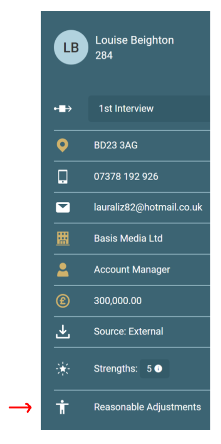
- Indicator has been added in to the candidate profile area to show that there has been a reasonable adjustment request.
- If you do not have access to reports, you will need to request the information from a user within your organisation that does.
Functionality > Vacancy Access Level (VAL)
How it Works…
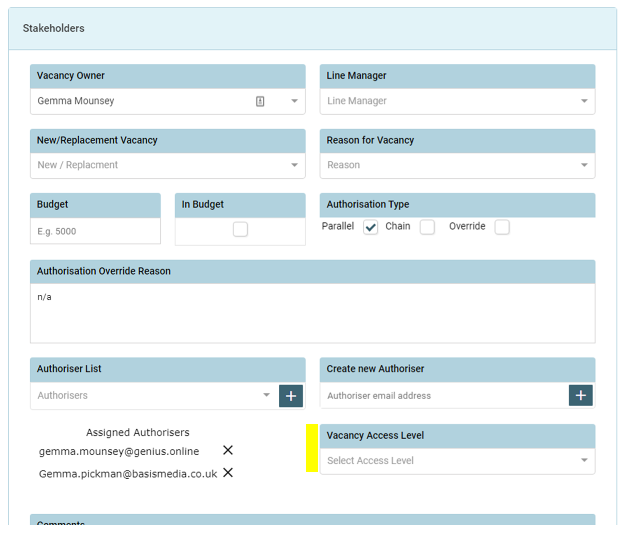
- Vacancy Access levels are a numerical value between 1 and 10. These levels represent the hierarchy of permissions to view either [Vacancies] and [Vacancy Templates].
- If you are the [Vacancy Owner] you can ALWAYS see the vacancy you have created regardless of the Vacancy Access Level.
- If a [vacancy] does not have an VA level, then others with permission, will see that vacancy based on their Locations, Sectors and Department permissions
- If a [user] is not defined as a VAL, they cannot access any vacancies with a VL set at their permitted Locations, Sectors and departments – this is so that if a user is accidentally created without an access level they do not have full access to vacancies.
- Users can only see [Vacancies] or [Vacancy Templates] relevant to their assigned level and below
- If no VAL number is assigned to either [Vacancies] or [Vacancy Templates], users will see [Vacancies] and [Vacancy Templates] based on their Locations, Sectors and Department permissions
Template / Vacancy Access Levels
User Vacancy Access Levels
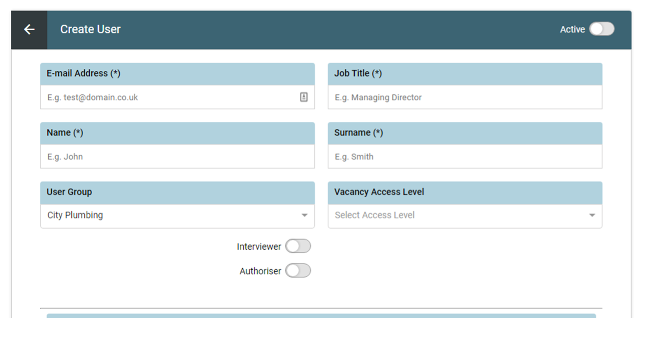
HINT: The assigned levels may need to be set as 2, 4, 6, 8, 10 so that if (for any unseen reason) a new level is created within the business it can slot in without disrupting all other templates and users.
Thanks
Client Support Team
We love to help you with all your issues and changes; however please be aware that moving forward we will no longer be investigating any issues without an accompanying completed issue form.