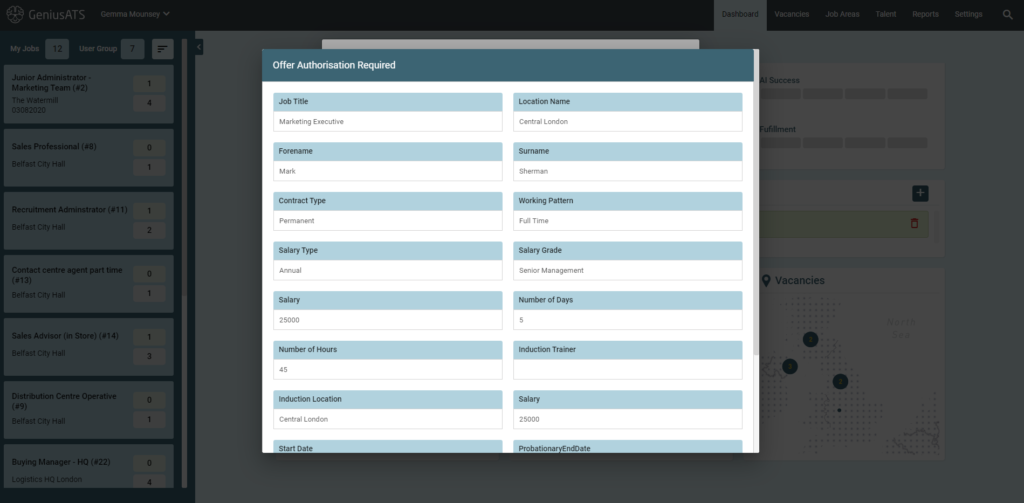
The Genius ATS functionality allows users to add in an ‘authorisation process’ to the Candidate Offer stage.
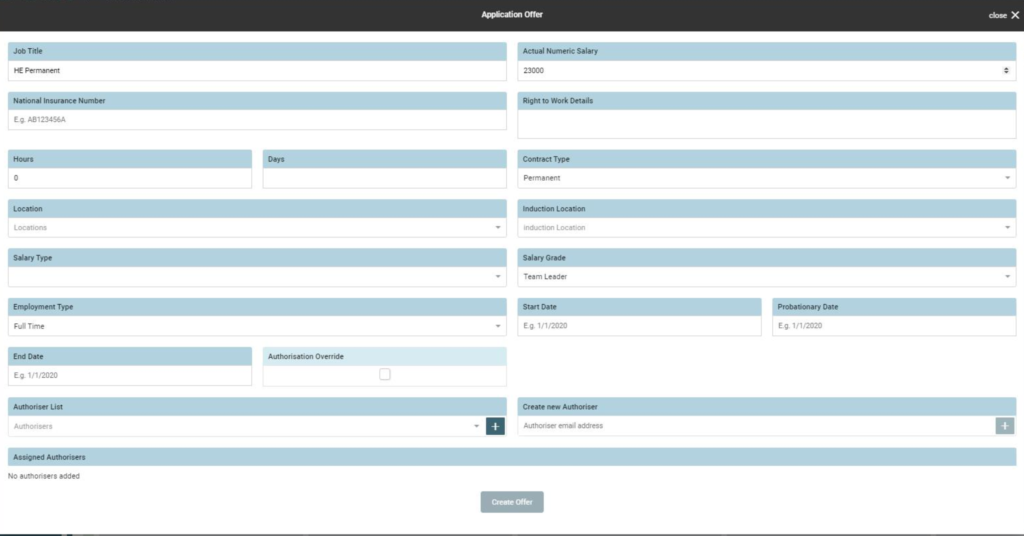
Here the user completes the offer request for which is then sent to an Authoriser (using the drop down list of Authorisers).
The user moves the candidate to the [Offer] stage and completes the following form, which is sent to an Authoriser for approval:
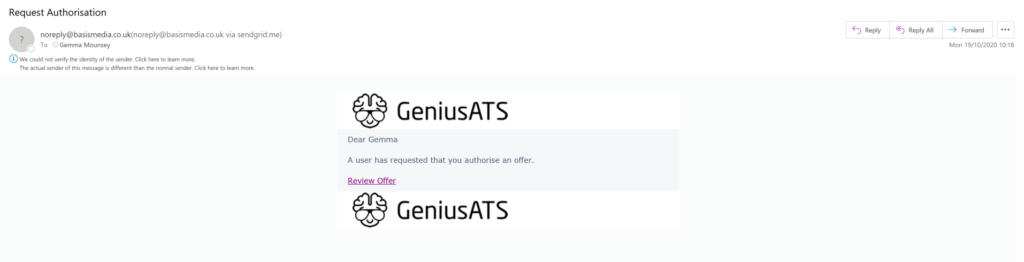
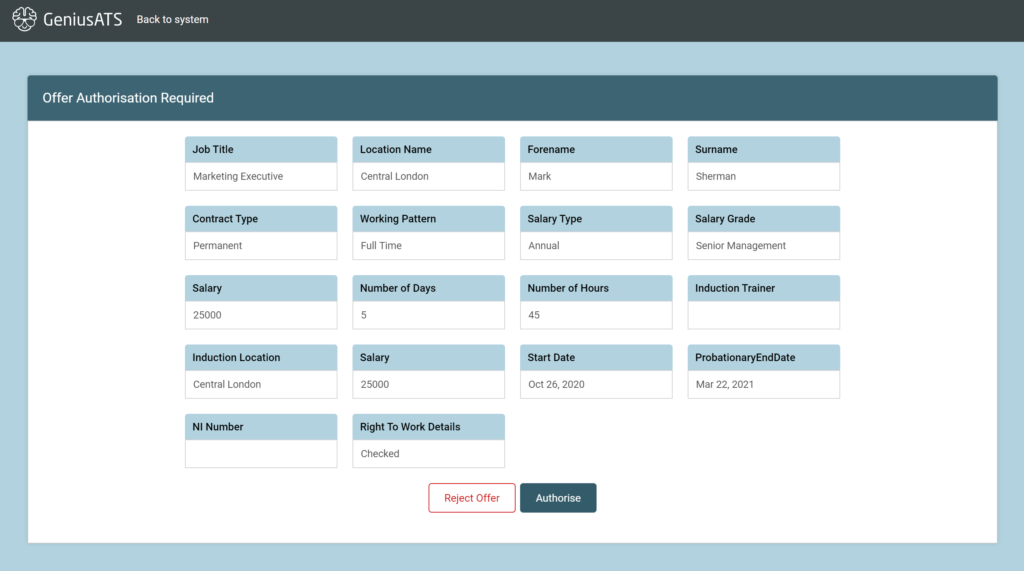
The Authoriser will be sent an email with a link to the authorisation page
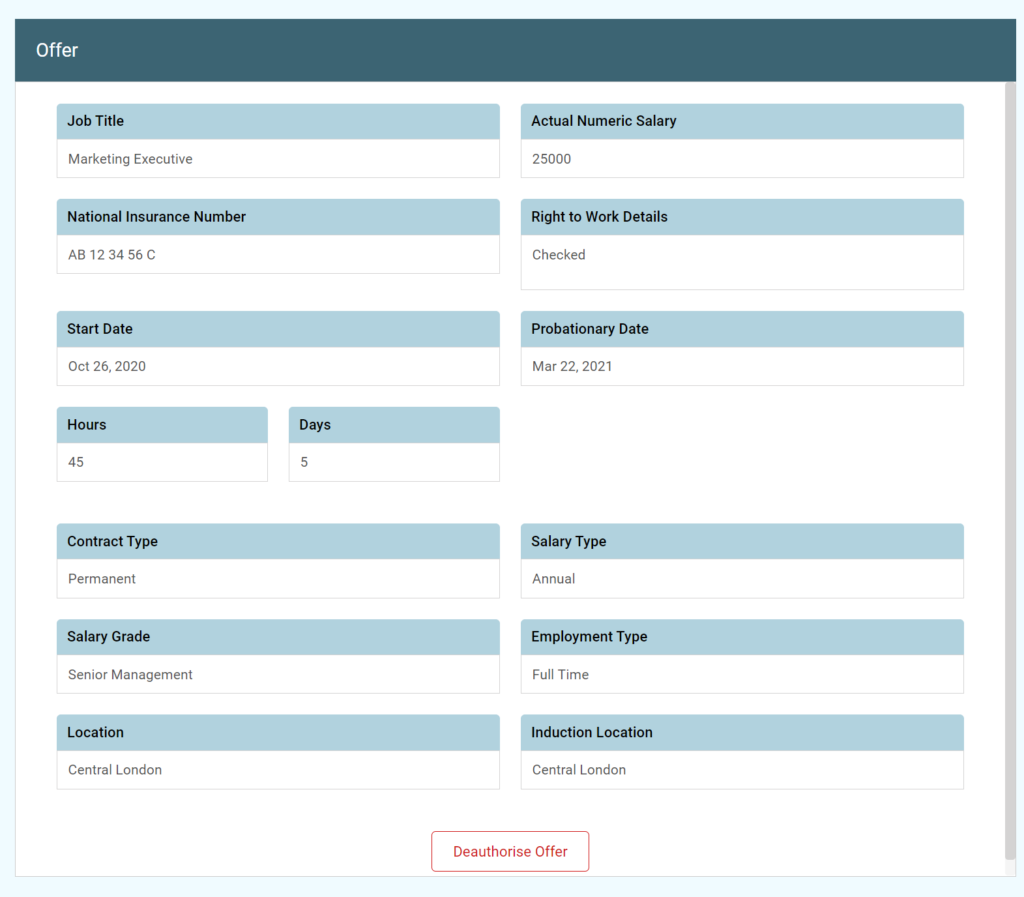
Here the Authoriser can [Accept] or [Reject] the Offer for the candidate.
NOTE: If the offer is ‘rejected’ the Authoriser needs to add details as to ‘why’ it has been rejected.
The Authoriser will also see the details of any outstanding Authorisation request on their Dashboard, under Outstanding Approvals:
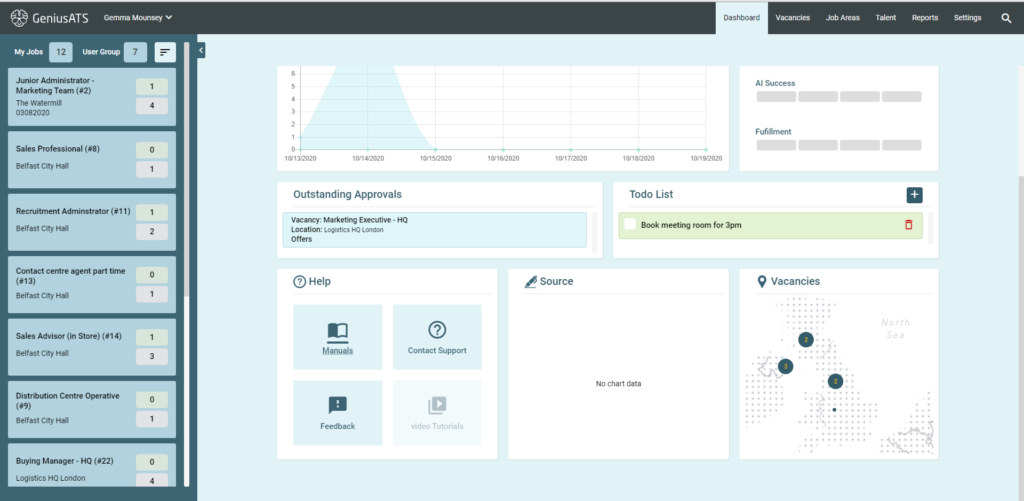
Click on the Outstanding Authorisations to ‘Approve ‘ or ‘Decline’ the request.