Adding the Candidate to a Vacancy
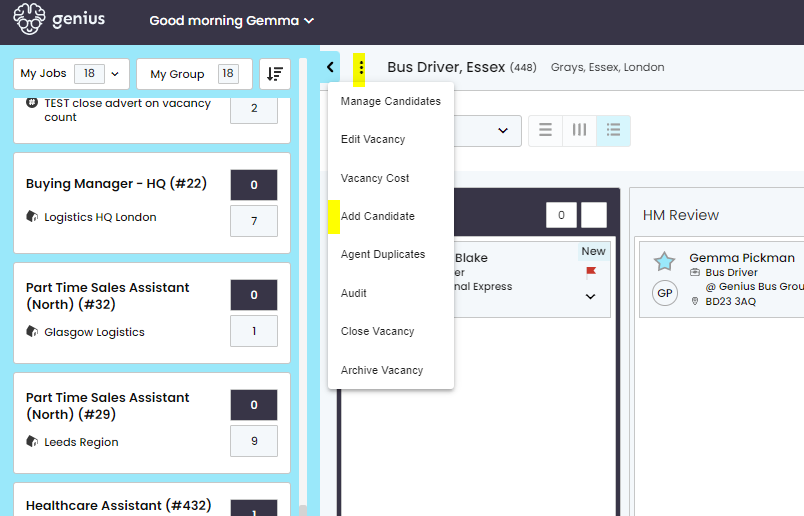
To add the candidate to a Vacancy, click the 3 dots to open the menu options from the vacancy you are viewing on your dashboard then click [Add Candidate].
Enter their email address and fill in the pop up box with their details;
Adding the Candidate to a Vacancy
To add the candidate to a Vacancy, click the 3 dots to open the menu options from the vacancy you are viewing on your dashboard then click [Add Candidate].
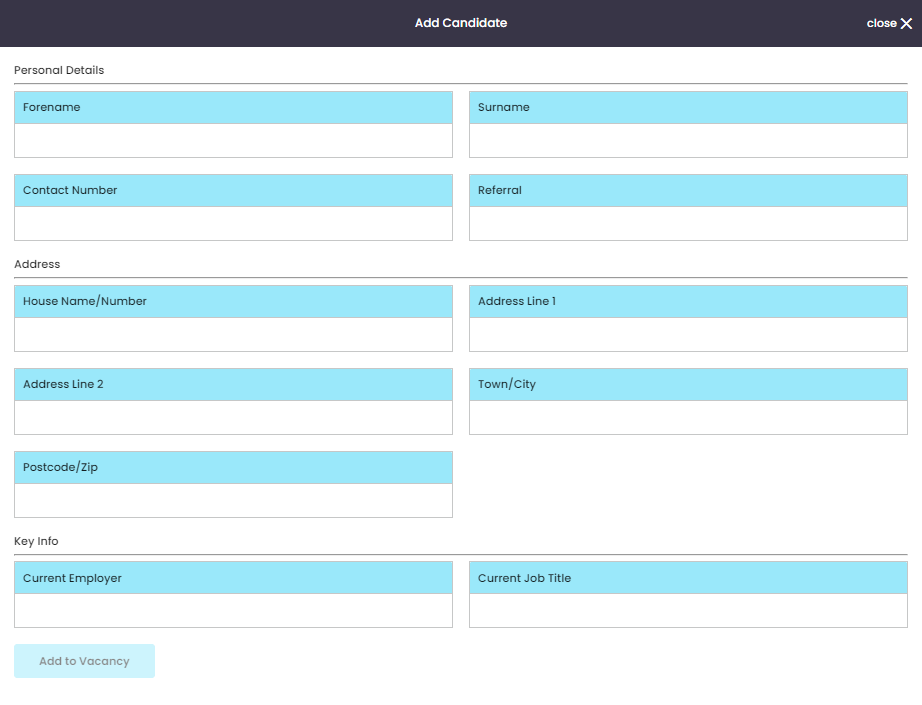
Enter their email address and fill in the pop up box with their details;
Once all the details are entered, click [Add to Vacancy] .
Please ensure GDPR guidelines are considered when manually adding a candidate to a vacancy.