GeniusATS comes with a Search & Apply page, which hosts a Candidate Profile area.
Candidates can add their information into their own profile so that if they choose to apply for vacancies with a company they can do so without having to fill in their personal details over and over again and can use the ‘Quick Apply’ functionality.
Register Only (Talent Bank)
Candidates can register their personal information against any business using GeniusATS via the Search & Apply Page. They can do this by applying for a vacancy OR simply registering.
Applying for a Vacancy (Creates a candidate profile)
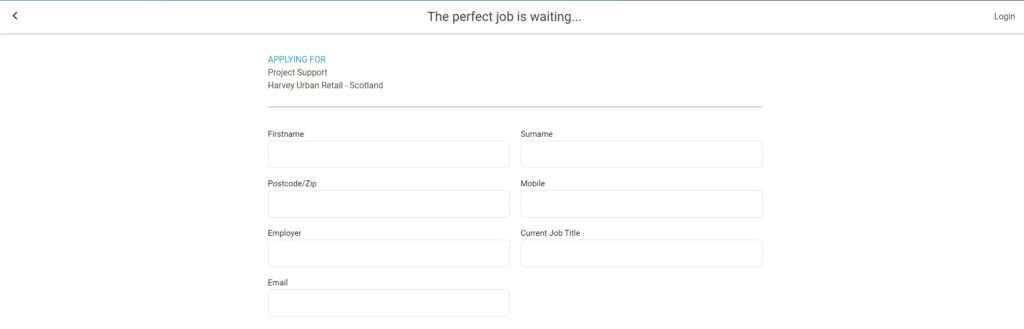
When a candidate clicks [Apply] they can either Login or Register. By completing this form the candidate is adding their details to the Talent Bank as well as Applying to a specific vacancy.
Candidates can apply with a minimum of 7 x pieces of personal information:
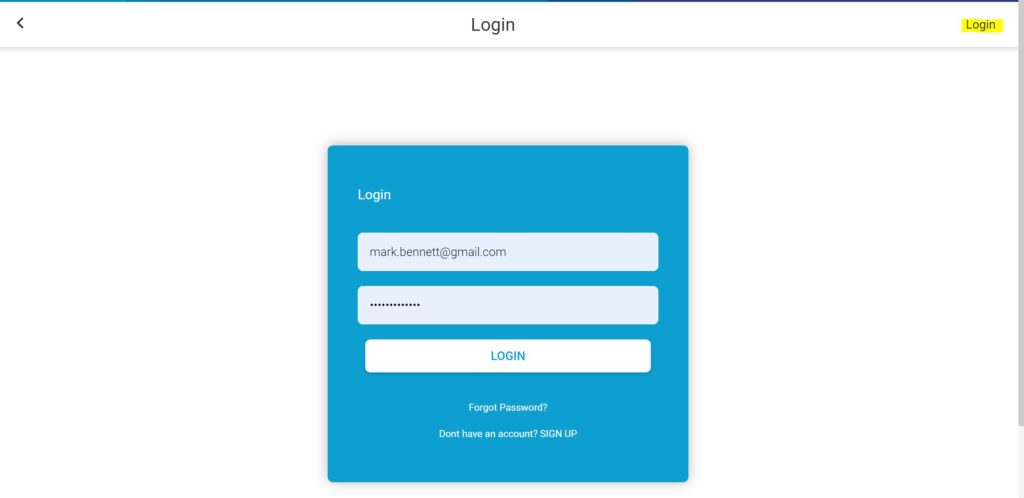
Login – If a candidate clicks on the Login button, the Login page will appear, which offers the candidate the option to:
- Login with existing details
- Use the ‘Forgotten password’ function
- ‘Sign Up’ as a new candidate
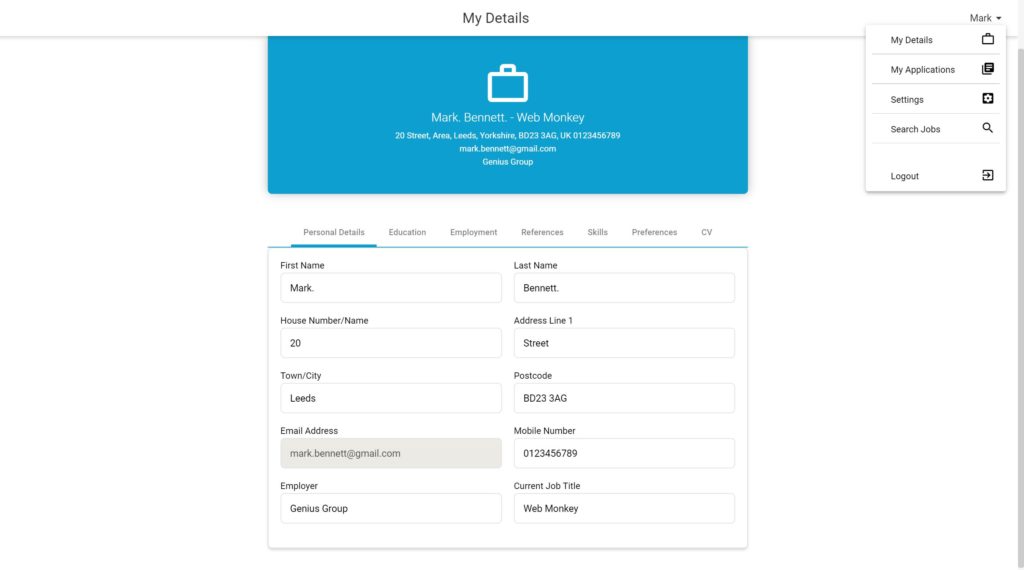
Candidate Profile
The Candidate can complete the details within their personal profile at any time, or it can be done at the point of Application, if all of the details have been requested as part of the Vacancy Application.
Candidates can also navigate through their Details, Applications and Settings in this area.