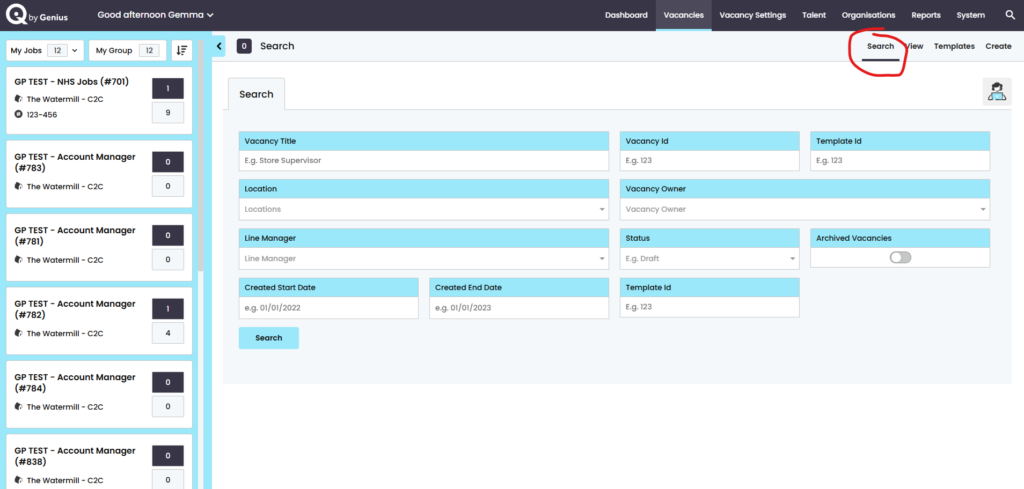
Users can search for vacancies by:
- Job Title
- Vacancy ID
- Location
- Vacancy Owner
- Line manager
- Vacancy status
- archived vacancies
- ‘status’ of the Vacancy
- Date range of [vacancy created date] to [created end]
- Advertised External
- Advertised Internal
Draft = Any vacancy that has not started the approval process
Awaiting Authorisation = Any vacancy that has been launched and is in the approval process
Authorisation Declined = Any vacancy that has been launched into the approval process, but has been rejected by an ‘approver’
Active = Any vacancy that has been successfully approved and is ‘Live’ on the candidate facing pages, job boards or has been sent to an Agency
Closed = Any vacancy that has been manually closed for both advertising and administration in the control panel