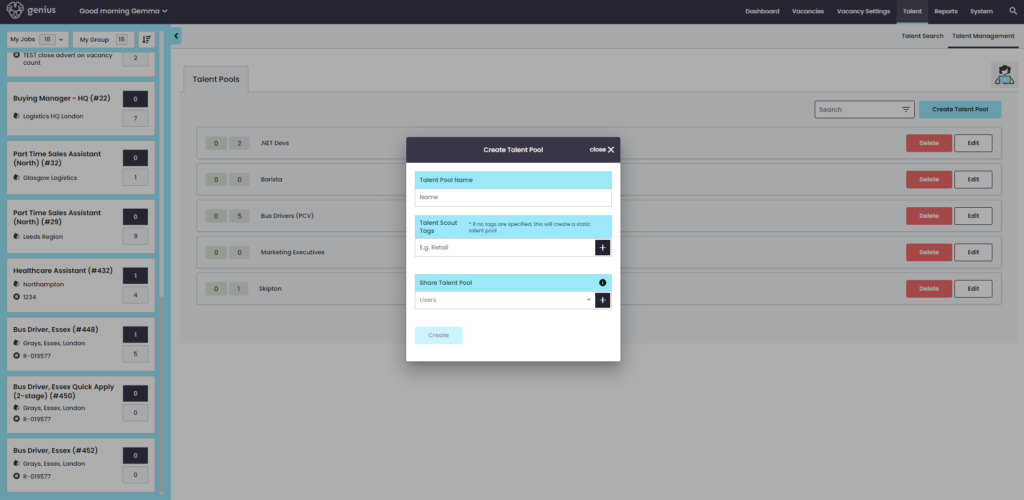
Click [Create Talent Pool] to set up a new talent pool. Enter the name for the talent pool you are creating. You then have the option to add specific skills tag i.e. Management, Retail, Customer Service etc.
NOTE: Ensure you click the plus icon ‘+’ to add this skill to the talent pool criteria.
You can then select any additional users that should have access to this talent pool, by choosing their email address from the drop down list and clicking the plus icon ‘+’.