Job Alert preferences are managed within the Settings section.
This section allows you to;
- Update My Preferences
- Hide My Profile From
- Delete my Account
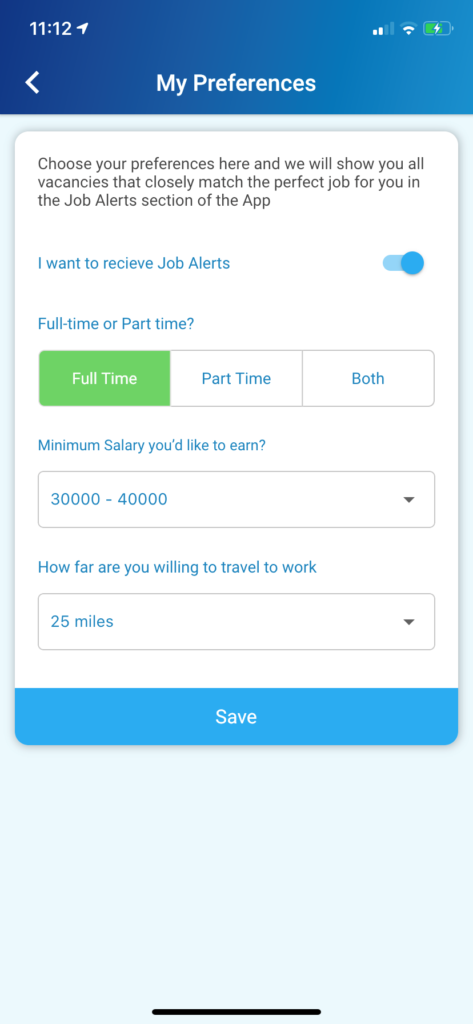
Update My Preferences
Use the toggle on/off button to confirm if Job Alerts should be sent or not.
Choose from a range of hours – Full Time, Part Time or Both.
Select a salary range from the drop down options available.
Finally, select the distance willing to travel in miles, from the current location on the map.
[Save] your selection.
Hide My Profile From
This section allows the candidate to hide their details from a GeniusATS client so their details cannot be found in the talent search of the control panel.
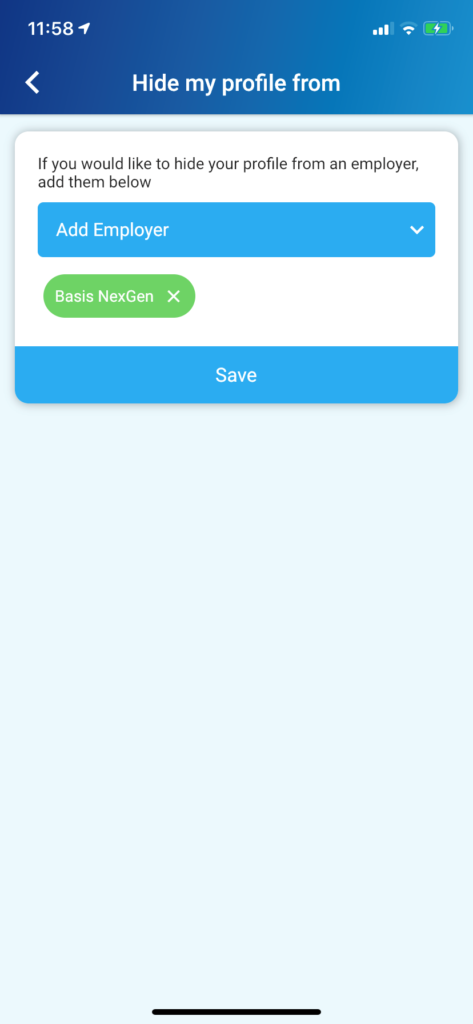
From the dropdown list, click [Save] to ensure the details do not appear in that company’s talent pool search.
Delete My Account
Should an applicant wish to remove their profile and details from the NexJob app, to ensure you cannot be seen or found by any employer, click [Delete Account].
Please note – this will not remove any personal details from a job application made through the NexJob app.