When a vacancy status is ‘closed’ in the ATS, this means that they are no longer advertised internally or externally but the vacancy itself and any candidates can still be managed.
Example: Advertisement start and end dates:
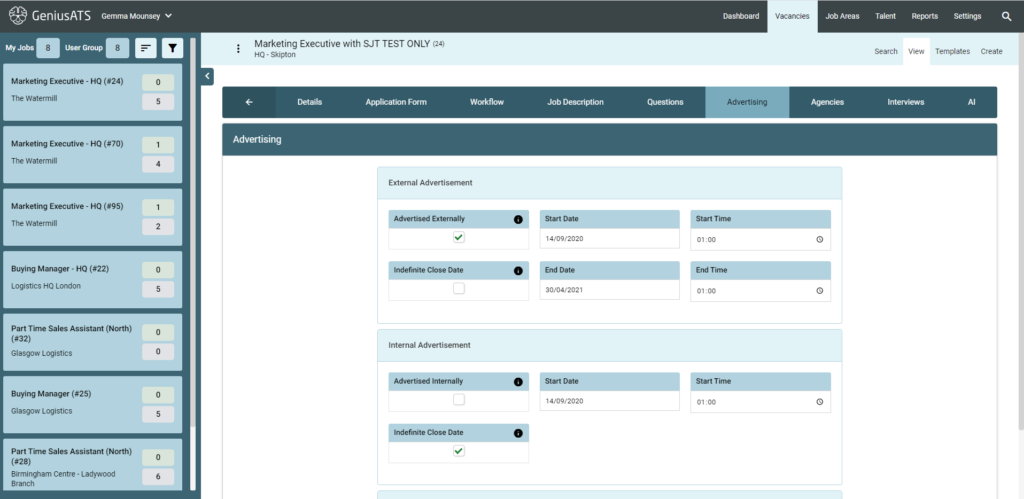
Users of Genius ATS have the option to have an infinate close date – which means that the vacancy will be advertised until a date is set in the vacancy OR the vacancy is manually ‘closed’ by a control panel user.
Manually Close a Vacancy
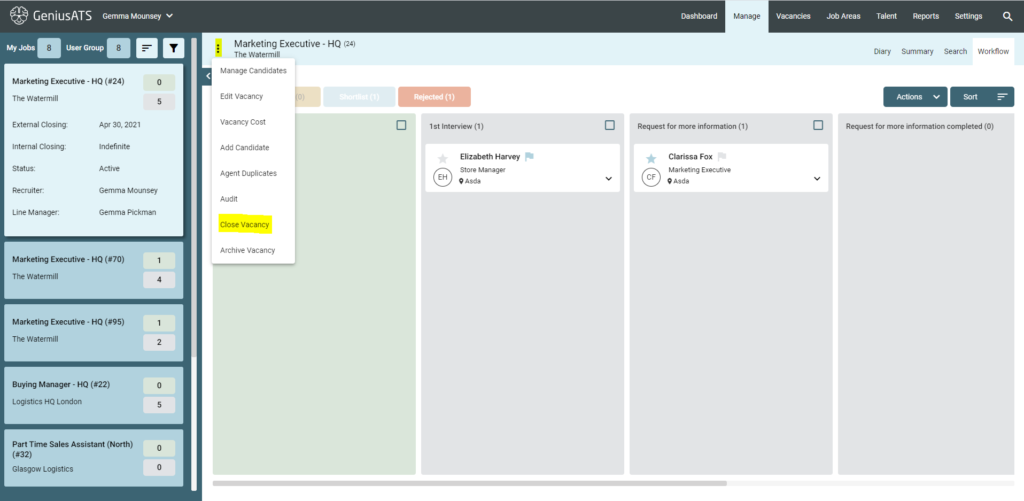
To manually close a vacancy, go into the vacancy and click the three dots next to the vacancy title and select ‘close vacancy’
A pop up will appear that allows the user to ‘decline all other applicants’ to ensure that candidates are not left without communication after applying for the role.
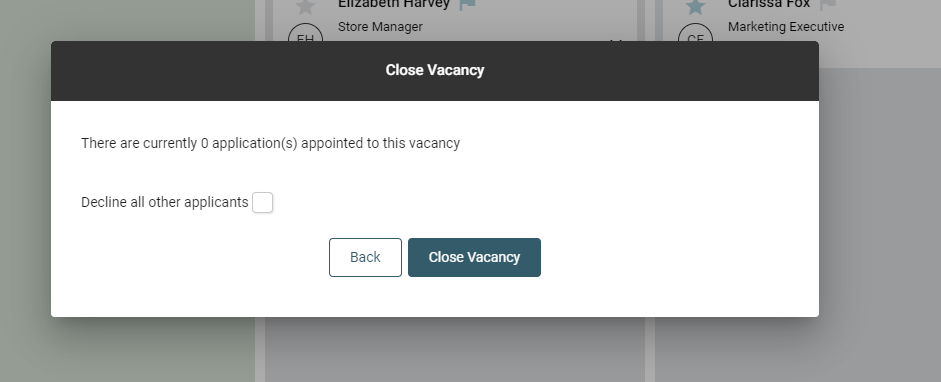
It is best practice to close vacancies down correctly in the ATS and ensure that all candidates are left with a good user experience – especially when being declined for the position.
NOTE: A ‘Closed’ vacancy is not the same as an ‘Archived’ vacancy