Individual Users can be assigned to a ‘User Group’, this allows the control of group permissions enhance or reduce certain areas of functionality within the control panel.
To create a User Group, go into: System > Users & click [Create User Group]
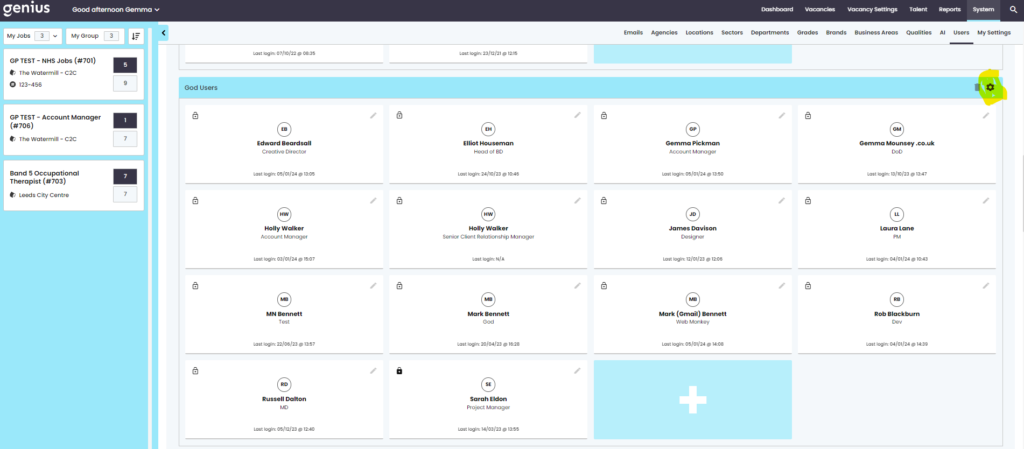
To set the User group Permissions, click on the cog icon in your new Group and the panel will open up to reveal the permission toggles.
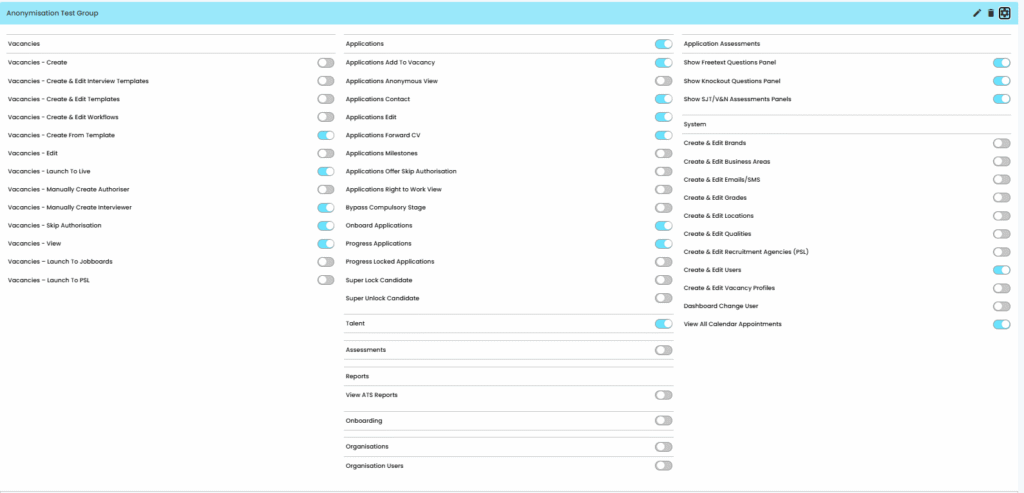
Here you can toggle to the functionality on/off.
NOTE: Genius ATS User permissions are configured by the Client. Testing should be carried out to ensure that User Groups have the correct permissions.
The main Permission sections refer to:
- Vacancies
- Applications
- Talent
- Assessments
- Reports
- Onboarding
- Organisations
- Application Assessments
- System