GeniusIQ allows you to find the talent you want to attract by allowing you to add specific parameters to a vacancy and candidates.
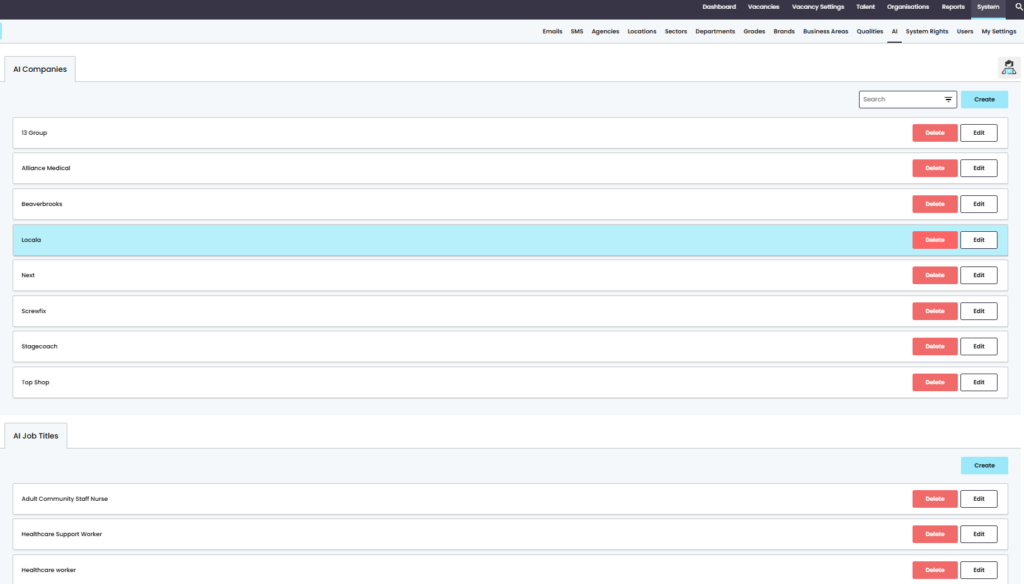
In the [Settings] area of the control panel the AI tab allows you to add both companies and job titles for candidates you are wanting to attract that may have either one or both attributes:
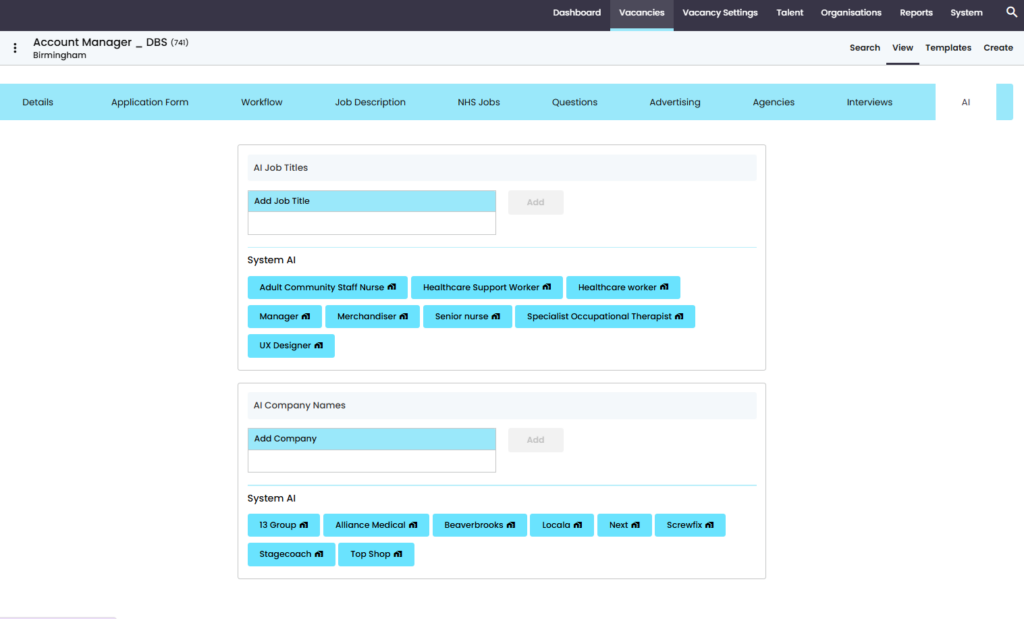
When these are added at a ‘System’ level they are automatically pulled through in the vacancy AI area, where you can also add more tags depending on what you are looking for from your applicants.
Field Limitations
- Job Title limited to 100 characters
- Company Name limited to 100 characters
Specific Rules for how the Algorithm Works
It begins when you have appointed someone, and starts to recognise from the candidates application information specified in the list below
- Where they have previously/currently worked
- Their previous/current role
- Distance they are travelling to the location specified in the vacancy, this will configure based on the candidates postcode
- Business Areas in new created vacancies
- Also vacancy templates
It will group the information to help the algorithm work more efficiently with the information it’s providing.
The selected AI, where you add in the specific requirements in the control panel, will then work with the above to push searches and gather information quicker