Edit Merge Fields
To amend the merge fields in an existing document in the control panel, click on the OnBoarding Pack and the pen icon.
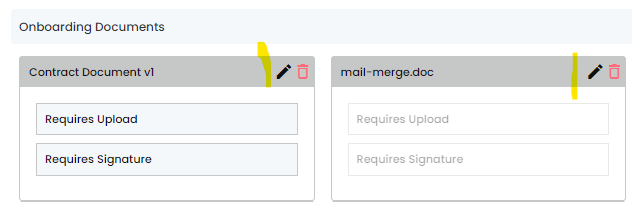
The merge fields associated with the document will be displayed:
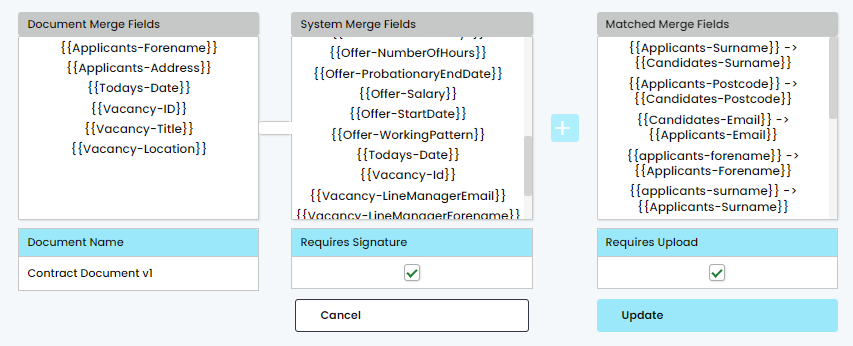
To remove a field, click on it in the right-hand column and it will appear in the left hand column.
Remove a Document from a Pack
To edit a document, click on the [bin] icon to delete the document from the pack and re-upload the document following the standard onboarding (Documents) procedure.
NOTE: Any vacancies that are already assigned the previous OnBoarding pack – will need to be manually updated. To do this you will need to edit the vacancy, and re-assign the correct pack.