In line with UK GDPR legislation, the GeniusATS requires all candidates (either registered only OR applicants) to have the option to review, edit, update or remove their personal data from the system.
The GDPR Opt in process is customised per Client at set-up phase where the Client can choose the length of time that candidates are sent a reminder from the GeniusATS to ask them if they wish to remain on the database or to delete their data.
Note: GeniusGroup recommend that any links contained within the standard email suite are not removed when editing the email templates as this can cause issues when candidates are directed to the incorrect URL.
Anniversary Reminders (GDPR)
The Anniversary Reminder email to candidates is set to 6 months by default. This can be changed if requested in writing to GeniusGroup Ltd.
Email reminders are triggered by the pre-defined (standard or customised) [x] months of inactivity. I.e. the candidate has not logged into their account in that set amount of time.
Email Templates
In the email suite there are standard email templates which can be edited by a control panel user.
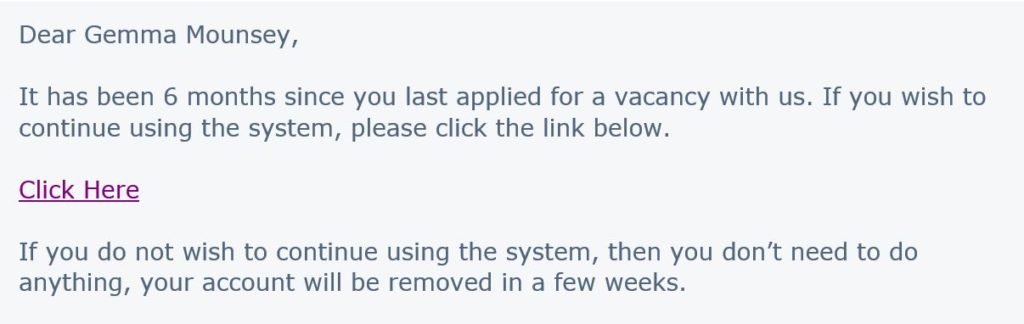
Below is an example of the communication that is sent to candidates automatically by the system after e.g. 6 months of inactivity.
Candidate Actions – GDPR
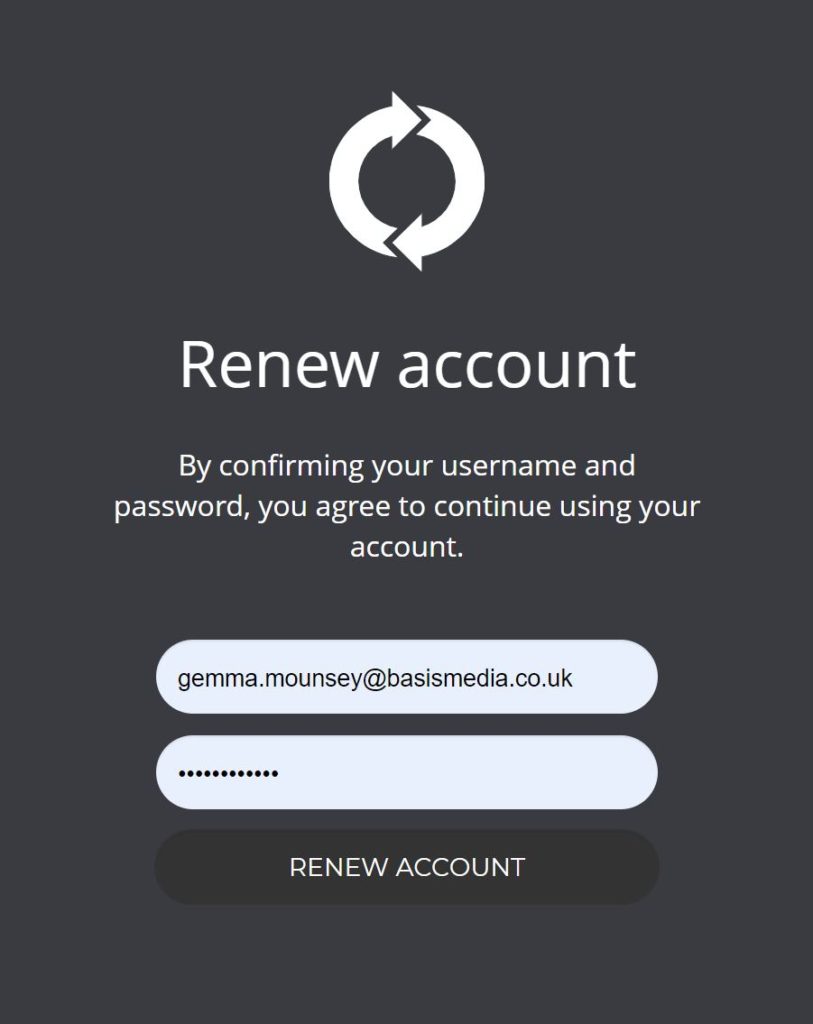
When the candidate clicks on the link from the email, they are directed to a screen asking them to confirm if they agree to continue using their account.
If the candidate takes no action, a further the ‘Anonymisation Confirmed’ email will be sent to them to confirm their details are being removed from the system within 24hrs.
Delete My Account
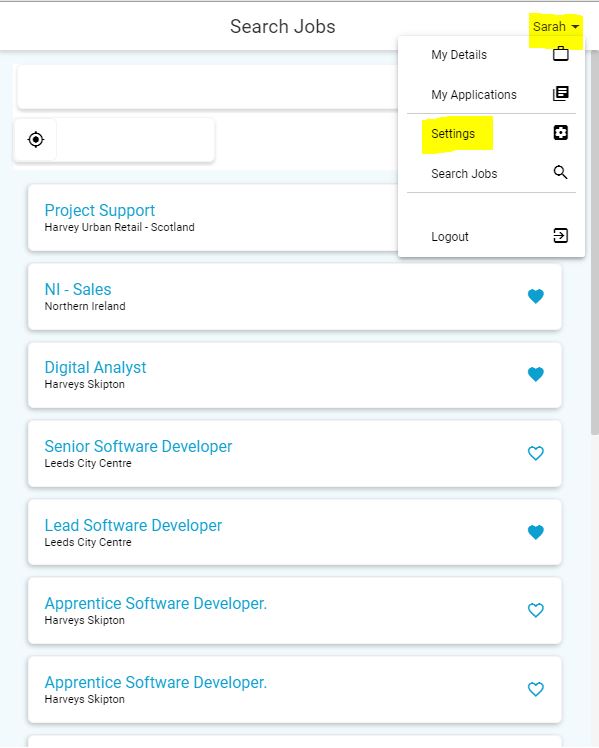
Candidates can delete their account at any time by logging into the candidate profile and clicking on their account in the top right hand side of the screen: Account Name > Settings
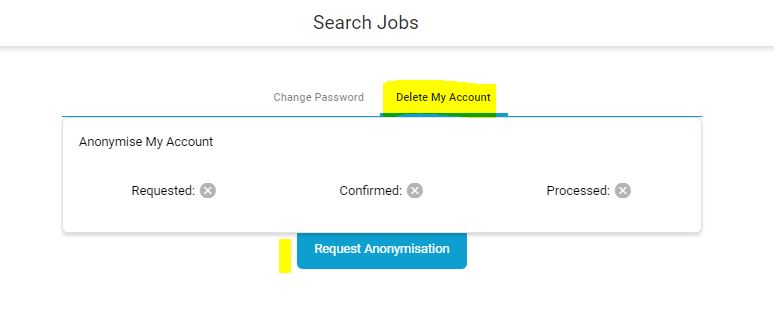
Candidates need to click [Request Anonymisation] in this screen and a standard email (Anonymisation Confirmed) will be sent to them to confirm when the action will be complete within 24hrs.
Note: The standard email that is sent to the candidate can be amended in the email suite by a control panel user.
Anonymisation Cancelled
If the candidate chooses to cancel their request to remove their data from the system, they are able to do so by clicking [cancel] when they are asked to [confirm] that they wish to delete their account.
If a candidate clicks on the [cancel] button, the standard ‘Anonymisation Cancelled email will be sent to them to confirm the action has been cancelled.