Each Vacancy Template allows you to configure some information that matches up with what you are looking for in the candidates that are applying for the role. This is set by a specific algorithm
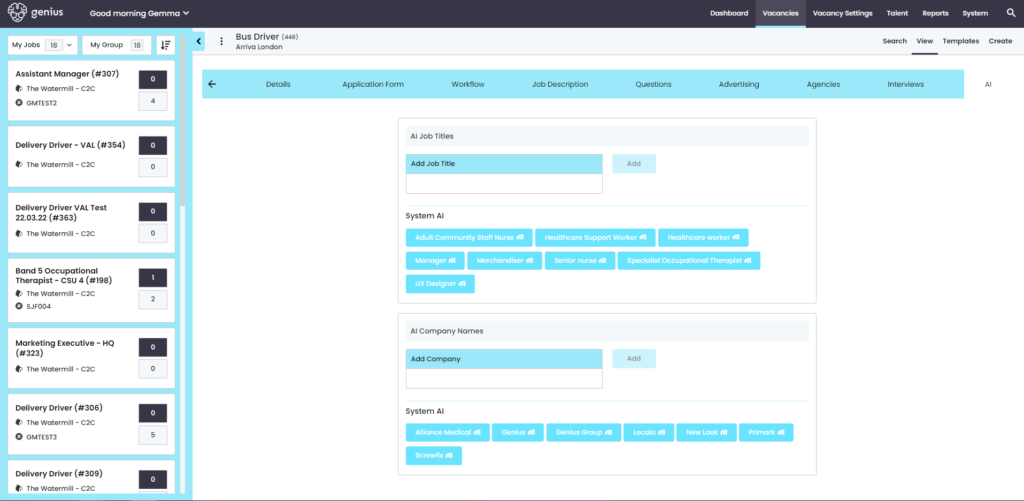
The System AI is based on actual people appointed. This means it learns over time.
It begins when you have appointed someone, it begins to recognise from the candidates application information specified in the list below
- Where they have previously/currently worked
- Their previous/current role
- Distance they are travelling to the location specified in the vacancy, this will configure based on the candidates postcode
- Business Areas in new created vacancies
- Also vacancy templates
It will group the information to help the algorithm work more efficiently with the information it’s providing.
The selected AI, where you add in the specific requirements in the control panel, will then work with the above to push searches and gather information quicker
Example:
If you have appointed ‘Bob Smith’ for a vacancy and his Current Employer is ‘Next Ltd’, he is a ‘Manager’, and lives ’20 miles’ from the store, then if you raise another vacancy from the same template, or in the same Business Area, then people that are “similar” to Bob in terms of their current employer, their current job title, and the distance to the vacancy will get an aggregate score.
TIP: If you have no appointments, or the vacancy is unlike any previous ones, add AI job titles and companies to vacancies to nudge the AI,
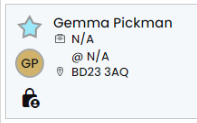
Note: The candidates initials will highlight in gold if they are an AI candidate
You can now ‘LAUNCH’ your vacancy!!!
This will either:
- appear instantly in your vacancy listings
- Be sent to your chosen ‘Authorisers’ for approval